
AP Automation for a Global Hospitality Organization
Reducing Manual Invoice Data Entry by Approximately 90% with Intelligent Document Processing and Automated Matching
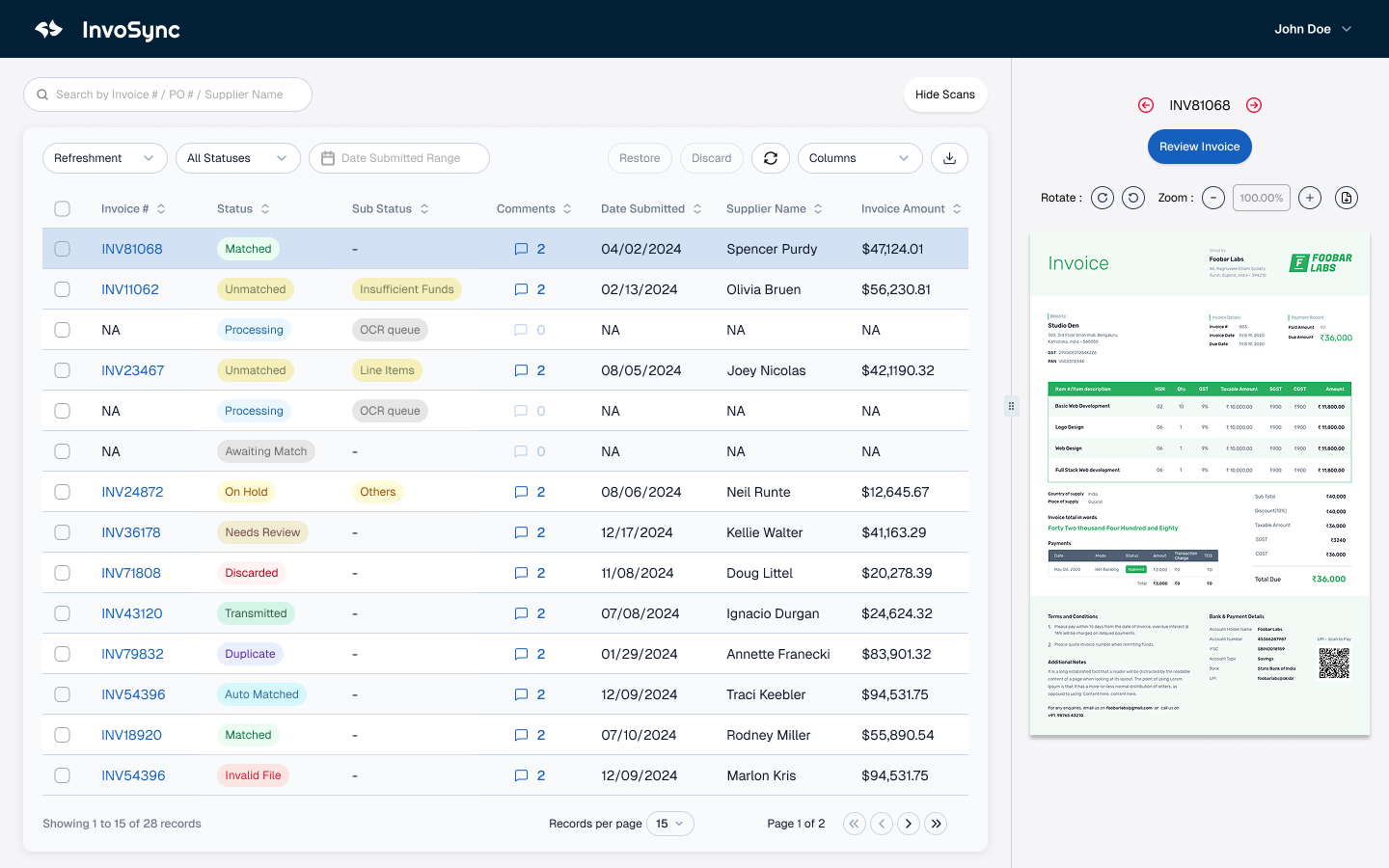
A global hospitality organization needed to modernize a highly manual accounts-payable process within a larger procure-to-pay platform.
Invoices arrived in formats that required employees to review documents, enter invoice information, interpret line items, identify purchase orders, select accounting classifications, and resolve discrepancies before the invoices could continue through processing.
Stackular implemented intelligent invoice automation using Azure AI Document Intelligence as part of a modern application architecture built with React, .NET, and AWS.
The solution extracts invoice fields and line items, supports purchase-order matching, assists with invoice-line-to-PO-line matching, provides GL-code recommendations, performs validation, and identifies exceptions that require human review.
The objective was not to let AI independently make financial decisions. Stackular separated document interpretation from financial controls: AI was used to interpret unstructured invoice documents, while deterministic application logic and business rules handled validation, matching, and controlled workflow decisions.
The Challenge
Invoice processing is a good example of a workflow that appears simple until it is performed at enterprise scale.
A person can look at an invoice and quickly recognize information such as:
- invoice number
- supplier
- invoice date
- purchase-order number
- line-item descriptions
- quantities
- prices
- taxes
- totals
Traditional software does not automatically understand those fields when they arrive inside documents with different layouts and formats.
As a result, AP teams often spend significant time manually transcribing invoice information into business systems and then performing additional work to determine how the invoice relates to the corresponding purchase order and accounting structure.
The organization wanted to reduce that manual effort without removing the financial controls required for procure-to-pay processing.
Stackular's Approach
Stackular designed the invoice-processing workflow around three distinct responsibilities:
- Document interpretation — extracting structured information from invoices.
- Deterministic validation and matching — comparing that information with purchase orders and application data.
- Exception handling — routing ambiguous or invalid cases to people for review.
AI interprets documents; explicit controls govern decisions
- InputInvoice documentsVarying layouts, fields, and line items
- InterpretationAzure AI Document IntelligenceExtracts invoice fields and line-item data
- Structured outputInvoice dataMachine-readable fields for the application workflow
- Validation + matchingDeterministic application logic
- PO matching
- Line matching
- GL recommendations
- Controlled outcomeWorkflow decision
- Validated processingClear cases continue
- Human reviewAmbiguous cases become exceptions
This separation was important because not every part of an AP workflow should be handled probabilistically.
AI is useful for interpreting documents.
Financial controls should remain explicit, testable, and predictable.
Intelligent Document Processing with Azure AI Document Intelligence
Stackular used Azure AI Document Intelligence to convert invoice documents into structured information the application could process.
The service could identify fields and line-item information that otherwise would have required manual entry.
That structured output became input to the broader procure-to-pay workflow rather than the final financial decision.
The application could then evaluate extracted information against known enterprise data.
Purchase-Order Matching
Once invoice information was extracted, the platform could use deterministic logic to associate invoices with the appropriate purchase orders.
This reduced the amount of manual searching required from AP staff and created the foundation for additional validation.
Invoice-Line-to-PO-Line Matching
The solution also supports matching invoice line items to the corresponding purchase-order lines.
This is more valuable than simply finding the PO number.
Line-level matching allows the application to reason about whether the invoiced products, quantities, and financial values correspond with what was ordered.
Where the match is sufficiently clear, the workflow can continue with less manual intervention.
Where the information is ambiguous or inconsistent, the application can identify an exception for review.
GL-Code Recommendations
Accounting classification is another area where invoice processing can require repetitive human effort.
The solution can provide GL-code selections or recommendations based on available invoice, purchase-order, and application context.
The objective is to reduce repetitive classification work while retaining appropriate review and financial controls.
Validation and Exception Handling
The goal of automation was not to force every invoice through an automated path.
The goal was to automate the predictable work and make the exceptions obvious.
The application can perform validation and identify conditions requiring attention rather than making employees manually review every field on every invoice.
This creates a more scalable operating model:
straight-through processing where confidence and business rules allow it, human review where they do not.
Separating AI Interpretation from Financial Decisions
One of the most important architectural decisions was not allowing document AI to become the accounting control system.
Azure AI Document Intelligence is used to interpret invoice documents.
The application layer remains responsible for deterministic functions such as:
- validation
- matching
- workflow rules
- financial controls
- exception handling
This separation makes the solution easier to test, govern, and explain.
It also reduces the risk of treating a probabilistic AI result as an authoritative financial decision.
Business Results
Approximately 90% Reduction in Manual Invoice Data-Entry Effort
For targeted AP workflows, the new automation reduced manual invoice data-entry effort by approximately 90%.
This metric refers specifically to manual invoice data-entry effort, not to a 90% reduction in total AP processing cost or total AP workload.
Less Repetitive Data Entry
Invoice fields and line items can be extracted from documents instead of requiring employees to transcribe the information manually.
More Automated Invoice-to-PO Matching
The system can associate invoices and invoice line items with purchase-order information, reducing manual reconciliation effort.
More Consistent Accounting Classification
GL-code recommendations and structured workflow logic provide greater consistency than relying entirely on individual manual classification.
Better Exception Handling
Employees can focus attention on invoices that actually require judgment rather than reviewing every invoice in the same way.
Foundation for Continued Automation
The modern application architecture allows additional validation, matching, and workflow capabilities to be introduced over time.
Technologies Used
Lessons Learned
Don't automate every manual step exactly as it exists today.
A modernization project should question why manual steps exist rather than simply translating them into code.
Separate document interpretation from financial decision-making.
AI can interpret unstructured information while deterministic application logic retains responsibility for financial rules and controls.
Design around straight-through processing and exceptions.
The most scalable AP experience is not one where employees review every automated decision. It is one where predictable work proceeds automatically and people focus on exceptions.
Preserve valuable business rules while changing the implementation.
Modernization should remove unnecessary manual work without discarding controls that protect the business process.
Frequently Asked Questions
Can AI automate invoice data entry?
Yes. Intelligent document-processing services can extract invoice fields and line items from documents and provide that information to downstream applications, significantly reducing manual transcription.
Can AI match invoices to purchase orders?
AI and application logic can work together to support invoice-to-PO matching. Document AI can interpret invoice content, while deterministic business logic can compare that content with purchase-order data and validation rules.
Can GL-code selection be automated?
Accounting classification can be assisted through recommendations and structured business logic. Organizations should maintain appropriate financial controls and human review for ambiguous or exceptional cases.
Should AI make accounting decisions automatically?
Not necessarily. A strong architecture separates probabilistic document interpretation from deterministic financial controls. AI can identify and interpret information while explicit business rules govern validation, matching, and workflow decisions.
Can AP automation be introduced incrementally?
Yes. Organizations can begin with high-volume repetitive tasks such as invoice extraction and matching, then add additional validation, recommendation, and exception-management capabilities over time.
Related Case Studies
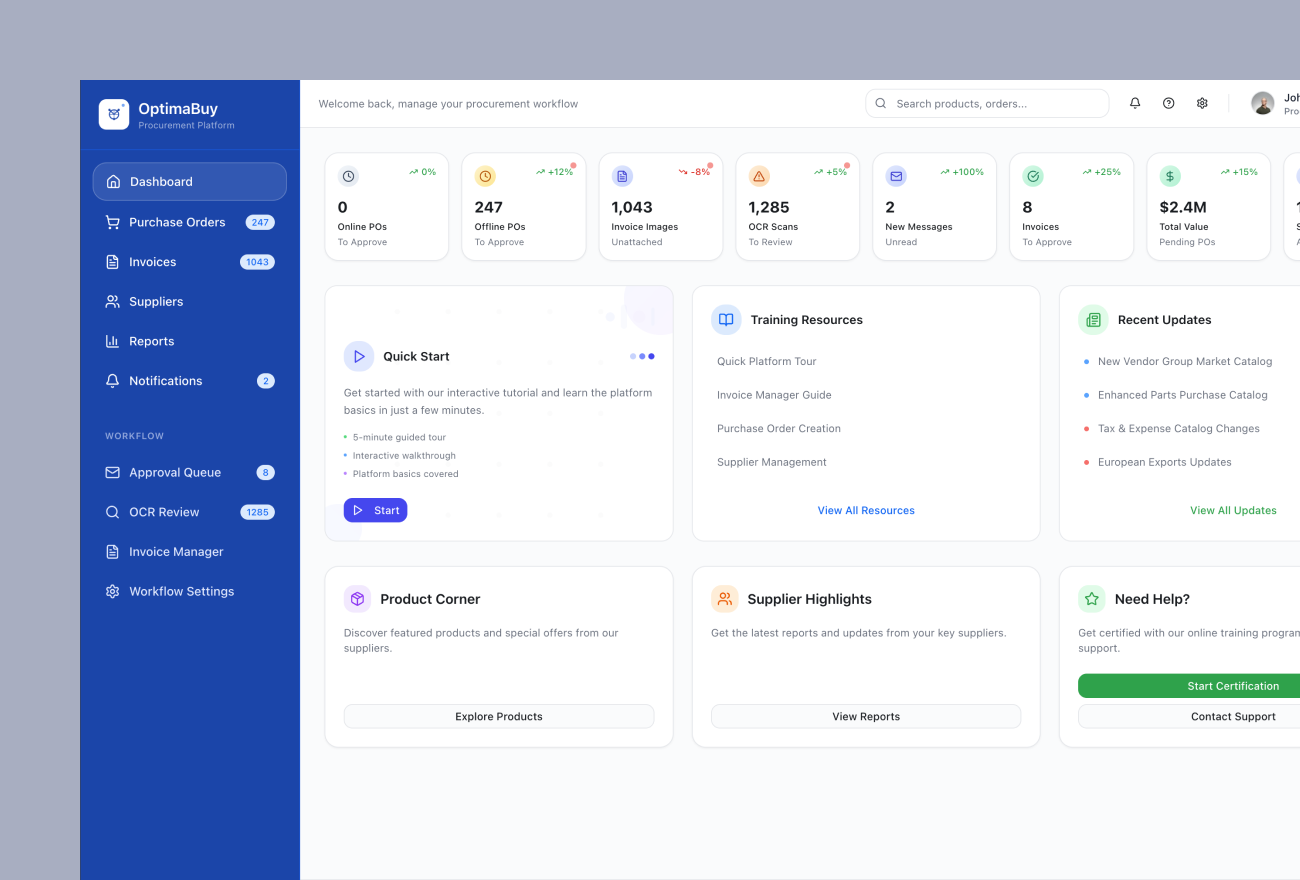
Procure-to-Pay Application Modernization for a Global Hospitality Organization
A global hospitality organization relied on a long-running procure-to-pay platform supporting purchasing, purchase orders, invoicing, receiving, financial workflows, supplier interactions, and customer-facing business processes.

Customer Reporting Modernization for a Global Hospitality Organization
A global hospitality organization provided customer-facing analytics as part of a broader procure-to-pay platform used to support purchasing, invoicing, supplier management, receiving, and other procurement activities.